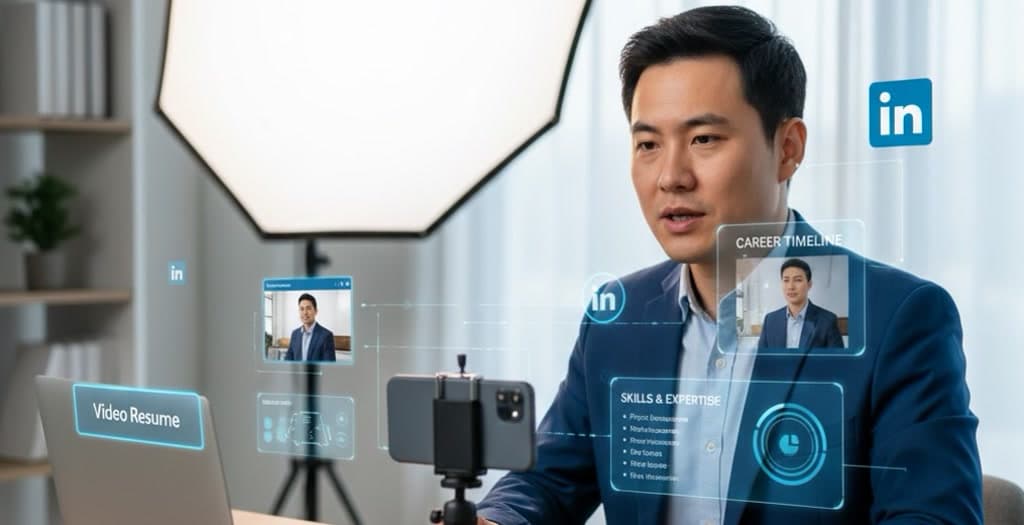
LinkedIn Intro Video Tips: 9 First-Impression Scripts
Fri May 22 2026
Turn this idea into a real asset
Create your AI video resume now
Turn what you just learned into a polished video resume with AI avatars, voice, and ready-to-share output built for job seekers.
Start your video resumeScope: this is a LinkedIn profile video guide
This article is specifically about short LinkedIn intro and cover-style videos for profile branding, networking, and first impressions on LinkedIn. It is not meant to compete with broader recruiter-facing video CV guidance.
If you want recruiter-focused application examples instead, read Video CV Examples: What Makes Them Work.
If you want the broader creator-portfolio system behind the profile clip, use the AI Creator LinkedIn Video Content Portfolio guide and the Personal Branding Video Hub.
Quick answer: what a LinkedIn intro video should do
A LinkedIn intro video should help a recruiter, client, or new connection understand three things fast: who you help, what you are known for, and what they should do next.
That is why the best LinkedIn intro videos are short, specific, and audience-aware. They do not try to summarize an entire career. They give one clean first impression that makes the rest of the profile easier to trust.
If you are reading this, you probably already know you should make one. The practical sticking points are usually these:
- "What do I say in the first five seconds?"
- "How do I sound confident without sounding scripted?"
- "Should this be for recruiters, clients, or my network?"
This guide answers those questions directly with nine LinkedIn intro video scripts, first-impression logic, filming guidance, and simple polish steps that keep the result useful instead of awkward.
Part 1: Why Bother? (The Psychology of the Intro Video)
Before we get to the "how," let’s talk about the "why." Why does a 30-second video matter more than your 10 years of experience listed in the "About" section?
1. The Trust Gap
We buy from people we trust. We hire people we trust. We partner with people we trust. Text is efficient, but it is cold. It is hard to gauge tone, enthusiasm, or sincerity from a paragraph of text. Video bridges that gap instantly. When someone sees your face moves and hears your voice, their brain signals: This is a real human. It creates a "parasocial" bond before you’ve even met.
2. The "Pattern Interrupt"
Most people browsing LinkedIn are in "zombie mode." Scroll, scroll, like, scroll. When they land on a profile and suddenly the profile picture starts moving (the Harry Potter effect), it snaps them out of the trance. It demands attention.
3. Control the Narrative
Your resume tells people what you did. Your LinkedIn introduction video guide tells them who you are. You get to control the first impression. You can explain a career gap with confidence. You can show your passion for a niche topic. You can be funny, serious, or authoritative-whatever fits your brand.
Part 2: Strategy Before Shooting
Do not pick up your camera yet. The biggest mistake people make is recording without a goal. They ramble for 20 seconds about the weather and then cut the video.
You need a strategy. Ask yourself these three questions:
Question 1: Who are you talking to?
- Recruiters? They care about skills, availability, and professionalism.
- Potential Clients? They care about results, case studies, and empathy.
- Peers/Network? They care about insights, trends, and collaboration.
Pro Tip: If you try to talk to everyone, you talk to no one. Pick one primary audience.
Question 2: What is the "One Thing"?
You have 30 seconds (technically you have more, but people’s attention spans are short). What is the ONE thing you want them to remember?
- "She is the expert on AI ethics."
- "He is the guy who scales sales teams."
- "They are the designer who understands code."
Question 3: What do you want them to do?
Never leave a viewer hanging.
- "Connect with me."
- "DM me for a chat."
- "Check out my featured section."
Part 3: The **LinkedIn Intro Video Tips** Playbook (Scripts & Angles)
This is the meat of the guide. I’m going to give you specific "angles" or templates you can use, depending on your goal.
Angle A: The "Elevator Pitch" (Best for Job Seekers)
This is the classic. It’s direct, professional, and effective.
The Script Structure:
- Greeting: Short and warm.
- The Label: Who are you?
- The Value: What do you solve?
- The CTA: What's next?
Example Script:
"Hi, I’m Sarah. I’m a Project Manager who specializes in chaotic startups. I turn 'move fast and break things' into 'move fast and ship things.' I’ve helped three SaaS companies scale from Seed to Series A. If you’re looking for someone to bring order to your operations, let’s connect."
Why it works: It’s punchy. It uses specific keywords ("SaaS", "Series A") that recruiters search for.
Angle B: The "Service Provider" (Best for Freelancers/Founders)
You aren't looking for a job; you're looking for business. Focus on the client's pain.
The Script Structure:
- The Question: Address a problem.
- The Empathy: "I know it's hard."
- The Solution: "I fix it."
- The CTA: "Let's chat."
Example Script:
"Does your website look great but convert zero visitors? I see that all the time. I’m Mike, a UX Copywriter. I don’t just write pretty words; I write words that sell. Check out the case study in my Featured section to see how I doubled conversion for a fintech client. Send me a DM if you want the same results."
Why it works: It starts with the viewer ("Does your website..."), not the speaker.
Angle C: The "Connector" (Best for General Networking)
Maybe you aren't selling anything. You just want to build a cool network.
The Script Structure:
- The Interest: What are you obsessed with?
- The Invitation: "Join me."
Example Script:
"Hey, I’m heavy into Generative AI right now. I’m posting daily experiments and failures here on LinkedIn. If you’re also trying to figure out how LLMs are changing marketing, give me a follow. I’d love to learn from you, too."
Why it works: It’s humble and inviting. It attracts like-minded people.
Part 4: Filming Like a Pro (Without the Budget)
You don’t need a cinema camera. Your smartphone is better than what news crews used 15 years ago. But you do need to follow the laws of physics.
1. Lighting is Everything
I cannot stress this enough.
- Good: Facing a window. Natural, soft light hitting your face evenly.
- Bad: Window behind you (you look like a shadow).
- Bad: Overhead office fluorescent lights (you look like you have dark circles under your eyes).
The "Lamp Hack": If you are filming at night, take a desk lamp, bounce it off a white wall in front of you. The wall reflects a soft, flattering light onto your face.
2. Audio is 50% of the Video
People will watch a slightly blurry video. They will scroll past a video that sounds like you are in a bathroom.
- The Room: Avoid empty rooms with tile floors (echo is the enemy). Film in a room with a rug, curtains, or a sofa. Soft things absorb sound.
- The Mic: If you can, buy a $20 lapel mic for your phone. If not, hold the phone slightly closer to your face, or use wired earbuds (the mic on those is usually decent).
3. The Background
Your background tells a story.
- Bookshelf: Signals intelligence, learning.
- Clean White Wall: Signals minimalism, focus.
- Office/Desk: Signals "I am at work."
- Outdoors: Signals energy, distinctiveness (great for sales reps).
Avoid: Unmade beds, messy kitchens, or open closet doors. It sounds obvious, but I see it every day.
Part 5: Technical Details (The Boring but Important Stuff)
When you upload your LinkedIn intro video, there are technical constraints you need to know.
- Aspect Ratio: Vertical (9:16) is best. Most people view LinkedIn on mobile. If you upload a widescreen video, it looks tiny on a phone screen. Fill the frame.
- Length: LinkedIn allows up to 30 seconds for the profile video (Cover Story). Keep it under the limit. Ideally, aim for 20-25 seconds. It forces you to be concise.
- File Type: MP4 or MOV.
- The "Silent" Preview: For the first few seconds, the video plays without sound in the profile circle. Make sure you are smiling and moving slightly at the very beginning so people know it's a video, not a photo.
Part 6: Overcoming "Camera Shy" Syndrome
"But I hate how I look on camera." "I hate the sound of my voice."
Welcome to the club. Every single human being feels this way. Even movie stars.
If the idea of filming yourself is paralyzing you, here are three ways to cheat the system:
1. The "Talking Avatar" Method
We live in the future. You can use AI to generate a video for you. There are tools where you upload a photo of yourself, type a script, and the AI animates your face to speak the words.
If you are interested in this route, start with PortfolioVideo's Personal Branding Video Maker. It lets you build a LinkedIn-ready avatar video without recording a new take every time.
- Pros: No filming, perfect delivery, no anxiety.
- Cons: Can look a bit robotic if not done well.
2. The "Selfie Walk"
The hardest part is standing still. The energy gets stuck in your body. Go for a walk. Hold your phone. The movement distracts your brain from the anxiety. Plus, walking videos feel dynamic and authentic.
3. The "Practice Burner"
Record a video with the intention of deleting it. Say, "I am going to record this, watch it once, and delete it." Do that five times. By the sixth time, the fear is gone because the stakes are low. You might surprisingly like the sixth one enough to keep it.
Part 7: **LinkedIn Intro Video Examples** (Do's and Don'ts)
Let’s analyze some hypothetical examples to sharpen your eye.
The "Bad" Example
- Visual: Guy sitting in a dark room, looking down at his screen (we see his double chin).
- Audio: Noisy cafe background.
- Script: "Uh, hi. I’m Dave. I need a job. Please look at my resume. Thanks."
- Verdict: Desperate, low effort. It actually hurts his chances more than having no video.
The "Good" Example
- Visual: Woman standing in front of a bright window, smiling, looking at the lens.
- Audio: clear and crisp.
- Script: "Hi, I’m Maya. I help e-commerce brands fix their supply chain issues. I just posted a guide on reducing shipping costs by 15%-check it out below. Let’s connect!"
- Verdict: Value-driven, confident, professional.
Part 8: Editing and Polishing
You filmed it. Now, should you edit it?
For a 30-second LinkedIn intro, you don't need fancy transitions. However, one thing is non-negotiable: Captions.
Why Captions?
Many people browse LinkedIn at work, or on the subway, with the sound off. If your video doesn't have captions, they have no idea what you are saying.
- Use an auto-captioning tool (like CapCut or Veed).
- Make the text readable (not too small, not covering your face).
- Check the spelling! (AI often misspells names or technical terms).
Adding "The Hook" Text
You can add a permanent text sticker to your video (like on Instagram Stories/TikTok). Put your headline there.
- "I Help Scale Startups"
- "Ask Me About Python"
- "Open for Work: Marketing"
This gives context before they even unmute the video.
Part 9: Uploading Your Masterpiece
You are ready. Here is the step-by-step:
- Open the LinkedIn Mobile App (you have to do this on mobile).
- Go to your profile.
- Tap your profile picture.
- Select "View or edit profile video" (or "Add profile video").
- Upload your clip.
- Crucial Step: You will see an option for "Profile preview." This allows you to choose which 3-second clip loops silently when people land on your profile. Choose a moment where you are smiling or waving.
- Hit Save.
Wait 10 minutes, then check it on desktop to make sure the quality looks good.
Part 10: Advanced Tactics for 2026
If you want the video to keep working after the first upload, try these advanced LinkedIn profile video ideas.
The Seasonal Update
Don't leave the same video up for 5 years. Update it every quarter.
It shows your profile is active and alive.
- "Happy New Year! My goal for 2026 is..."
- "I just got back from the Adobe Conference..."
- "I’m currently reading..."
The "Name Pronunciation" Hack
LinkedIn has a separate audio feature for name pronunciation. Make sure your video matches that audio. If you have a difficult name, use the video to teach people how to say it with a smile. It removes a barrier for recruiters who might be afraid to call you because they don't want to butcher your name.
The Funnel Strategy
Think of your video as the top of a funnel.
Guide the traffic. Don't just let it sit there.
- Video -> "Check my Featured Section" -> Featured Section has a Portfolio Link -> Portfolio has a "Book a Call" button.
For more on building a broader video strategy for your career, check out our Video Resume Ultimate Guide, which covers longer-form content.
Conclusion: Just Press Record
I know it feels awkward. I know you think you need to lose 5 pounds first. I know you think you need a better camera.
But here is the truth: Your career is waiting on the other side of that "Record" button.
In a world of AI text and silent profiles, being human is a competitive advantage. A LinkedIn introduction video guide isn't just a tutorial; it's a permission slip. Permission to be yourself. Permission to take up space. Permission to be seen.
So, grab your phone. Find a window. Smile. And tell the world who you are.
Because if you don't tell your story, no one else will.
Turn this idea into a real asset
Create your AI video resume now
Turn what you just learned into a polished video resume with AI avatars, voice, and ready-to-share output built for job seekers.
Start your video resumeKeep exploring this topic
Related guides and next steps
Topic hub
Video Resume Hub
Explore video resume guides, examples, scripts, and AI resume strategy.
Open hub →Related article
How to Make a Video Resume: Script, Structure, and AI Workflow
Learn how to make a video resume with a recruiter-safe script, clear proof points, ATS-friendly sharing, and a no-camera AI workflow.
Related article
Proof of Work Portfolio: Show Real Evidence When AI Resumes Look the Same
Build a proof of work portfolio that turns resume claims into evidence, short walkthroughs, and recruiter-safe links when AI-generated resumes make applications harder to trust.
Related article
PortfolioVideo vs Synthesia: Which AI Avatar Video Tool Fits Your Workflow?
Compare PortfolioVideo and Synthesia by workflow, audience, video type, pricing model, recruiter fit, pitch-video use cases, and when each AI avatar platform makes sense.
Related article
How to Add a Pitch Deck & Video Portfolio to LinkedIn Featured Without Hurting Your ATS Resume
Learn how to pin a 60-to-90-second video portfolio and inspectable PDF pitch deck in LinkedIn Featured while keeping your submitted resume 100% ATS-parseable.